Logo file checklist for laser-engraved patches
Short answerSend a vector file (AI, EPS, SVG or PDF) if you have one; otherwise send the sharpest, largest PNG or JPG. Plan for one color, bold shapes and readable text, because engraving is tone-on-tone and tiny details can merge.
Vector or raster: which should you send?
Vector files (AI, EPS, SVG, or a PDF that contains vector artwork) store your logo as shapes, so they stay perfectly sharp at any size. Raster files (PNG, JPG) store a grid of pixels, so they have a fixed resolution and blur if enlarged.
If you have the vector original, send it. If you do not, send the biggest raster file you can find, not a screenshot or an image saved from social media. We will tell you if it needs cleanup before we make your proof.
Think in one color
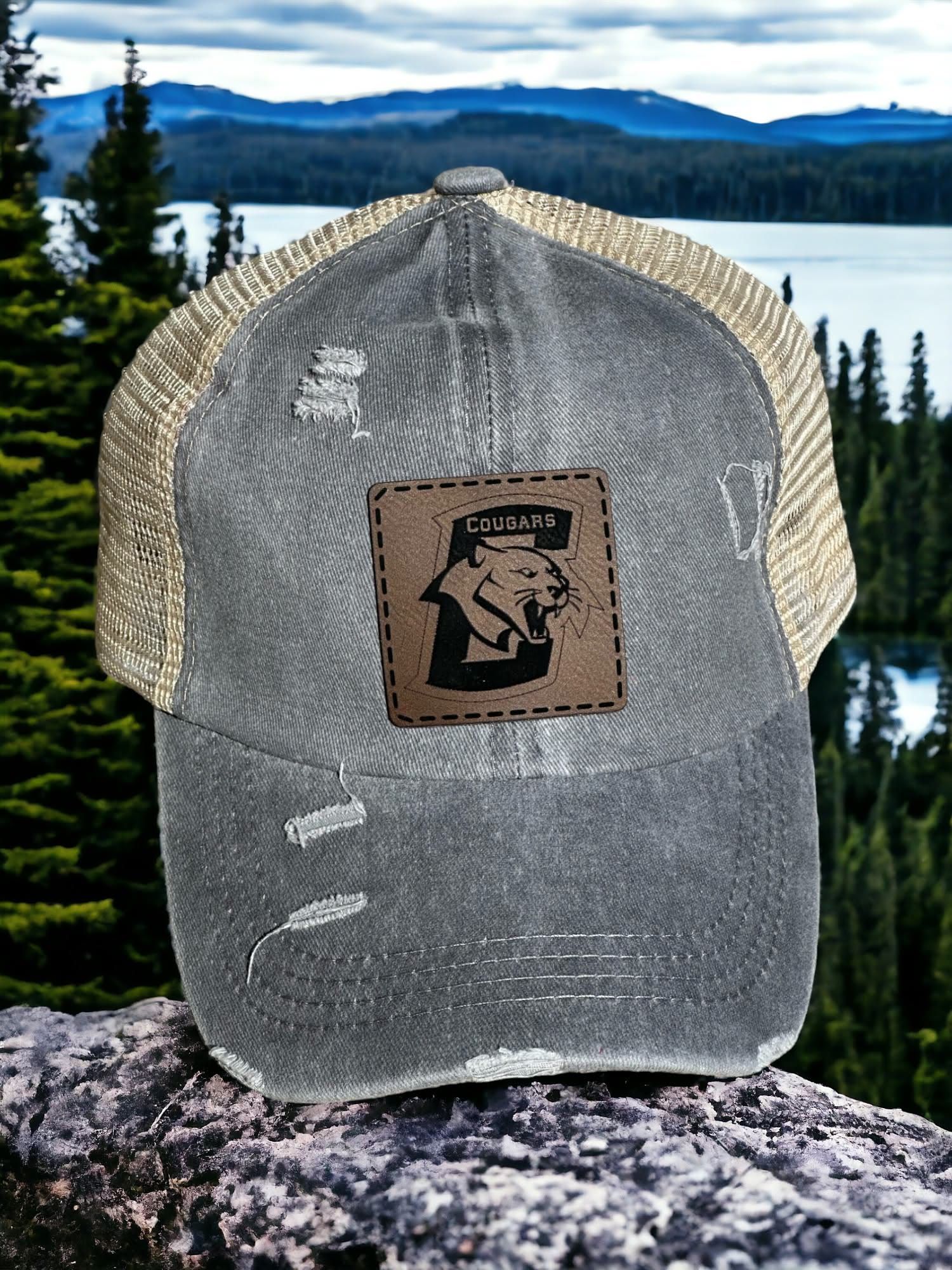
Engraving on our standard leatherette patch is tone-on-tone, so we convert your logo to a single color. Each shape in the logo becomes either engraved or left alone. Gradients, shadows and soft glows do not carry over as smooth shading, so a flat version of your logo often works better than the full-color one.
Keep detail readable
The finer the detail, the more likely it is to merge. As a guide:
- Keep lettering large enough to read across a table, not only up close.
- Avoid hairline strokes. Bolder lines survive better than thin ones.
- Leave breathing room between shapes so they do not fuse together.
- Fine filigree and small badges can work well on a laser; check the proof to confirm.
Common problems and how to fix them
Most proof revisions come from a short list of issues, all easy to avoid before you send the file:
- A pale or low-contrast logo: if your logo is mostly light colors or outlines on a white background, send the dark version or tell us which parts matter most.
- A logo with a tagline in tiny type: the tagline is the first thing to merge. Send a version without it, or tell us you are fine dropping it from the patch.
- A photo or heavy texture inside the logo: engraving works from shapes, so photographic detail is simplified into flat areas. A clean line-art version works better.
- A background box: remove it. We want only the artwork, not a white rectangle around it.
- Several versions of the logo: tell us which one is current, so the proof starts from the right file.
Prepare text
If you are sending a vector file, convert the text to outlines (curves) so the font does not change on our computer. If you are not sure how, just send the font name or the original file and we will handle it.
A one-minute checklist
Before you send your logo:
- Vector original (AI, EPS, SVG or PDF) attached, or the largest PNG/JPG you have.
- Text readable at a small size.
- Colors can be reduced to one without losing the meaning.
- You own the artwork or have permission to use it, especially for team, school or brand logos.
- Your deadline, quantity and hat color included in the request.
Always review the proof
We send a proof before anything is engraved and nothing goes on the laser until you approve it. Read every word and check names, numbers and spacing. If something looks off, tell us and we will adjust it.
Quick answers
Can I send a screenshot of my logo?
You can, and we will work with it, but a screenshot is low resolution and may need cleanup. A vector file or a large, sharp PNG or JPG gives a cleaner engraving.
Can I engrave a multi-color logo?
Standard engraving is a single tone, so multi-color logos are simplified to one color. Tell us what you need in your quote request.
Ready to start? Request a quote with your logo and quantity, or build an estimate first.